.svg)

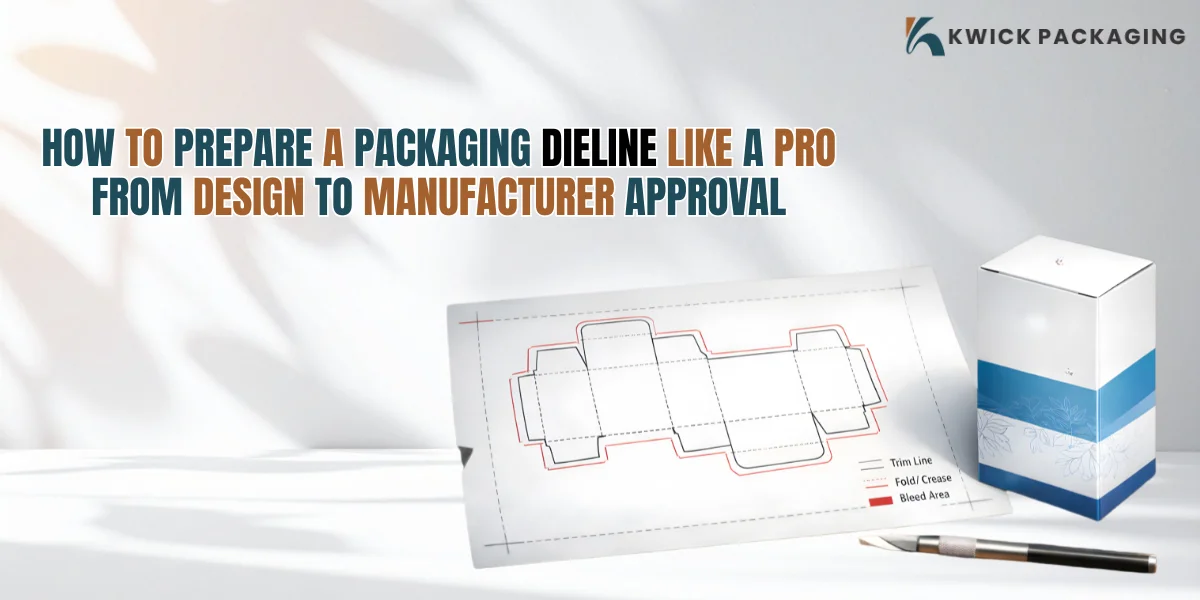
Most packaging designs appear flawless on screen but really fail miserably in the production process because of some simple dieline errors. You will be able to make a packaging dieline a pro in this guide, starting with proper design set up to perfect approval by the manufacturer each time.
What You Will Learn in This Guide?
- What a packaging dieline is and why it is important in production.
- The main components of a dieline such as cut, fold, bleed and safe areas.
- Guided method to make a professional dieline.
- Normal printing and file specifications to approve production.
- Typical dieline errors which result in print failures.
- Actual production regulations such as bleed and cutting tolerance.
- The way manufacturers check and accept dieline files.
- Poor dieline design and manufacturing mistakes.
- Tips of the trade to get suppliers to approve the first time.
- Last checklist to a perfect print-ready packaging dieline.
Why Do Most Packaging Designs Fail in Production?
.webp)
To a large number of designers, once the design of the packaging looks beautiful on the screen, actual production will have a different tale to tell. In practice, even minor errors in a packaging dieline can fully destroy the end result, causing misaligned printouts, folding failures, or a batch rejection.
A single 1-2 mm dieline error can result in the complete rejection of production and brands will have to reprint and waste time and money. This is why it is more important to learn how to create a structure that is production ready than just visually appealing.
A dieline in packaging is the interface between creativity and production. You can not get your design as a functional product without it.
What Is a Packaging Dieline?
A packaging dieline is a flat technical drawing which indicates the precise position of a box cut, fold, and glue points at the production stage. It converts a 2-D design into a 3-D real package.
Consider it as the user guide to the machines that make your packaging.
Flat layout → cut → fold → glue → finished box
Even a gorgeous design will fail in case of manufacturing without the correct packaging dieline, as the machines cannot interpret the structure properly.
Anatomy of a Professional Dieline
A professional dieline has several technical elements that guarantee the accuracy of production.
Key Components Table
|
Element |
Purpose |
If Done Wrong |
|
Cut Line |
Defines outer shape |
Wrong box structure |
|
Fold Line |
Controls bending points |
Broken or uneven folds |
|
Bleed Area |
Prevents white edges |
Visible blank borders |
|
Safe Zone |
Protects key design |
Text gets cut off |
|
Glue Flap |
Holds structure |
Weak assembly |
Step-by-Step Process to Create a Packaging Dieline Like a Pro
Step 1: Product Measurement
Begin with specific dimensions (L × W × H). A minor disparity will influence the structure in the end since the thickness of the material alters the behavior of folding.
Step 2: Choose Box Style
Select the right structure:
- Mailer box for eCommerce
- Rigid box for luxury packaging
- Folding carton for retail products
Step 3: Build Structural Layout
Map structure with professional programs such as Adobe Illustrator or CAD systems.
Step 4: Add Technical Marks
Marked the lines, fold lines and bleed areas with clarity to make production clear.
Step 5: Place Artwork Correctly
Do not put significant images on crevices or corners. Store them in the safe zone.
Step 6: Export Print File
Print in CMYK with 300 DPI resolution as AI or PDF.
Real Manufacturing Rules You Must Follow
Each factory has strict standards of production in examining a packaging dieline.
- Standard bleed requirement: 3 mm
- Cutting tolerance: 1-2 mm shift in machines
- Vector format required for production files
Common Dieline Mistakes That Cause Production Failure
Even seasoned designers can commit a serious error in developing a dieline of a packaging.
- Missing bleed area
- Incorrect scaling
- Artwork placed on fold lines
- Weak or missing glue flaps
- Wrong file format submission
Warning:
Minor dieline errors may necessitate a reprint of whole batches of packaging which is more expensive and time-consuming to produce.
Designer vs Manufacturer Approval Process
A packaging dieline has to undergo various phases before production is approved.
Approval Flow
Designer → Prepress Check → Manufacturer Review → Sample Proof → Final Approval → Mass Production
Manufacturers immediately reject files with:
- misaligned structure
- missing bleed
- incorrect measurements
This is done to make sure that there are no problems with packaging in actual production conditions.
Real World Production Insight
The reason why factories refuse to accept designs on the basis of visuals is because of the risk of structural failure.
A 2 mm misalignment can render packaging useless during mass production, particularly with rigid or precision boxes.
This is one of the pitfalls where most amateurs end up, where they lay stress on design rather than accuracy of structure.
Cost Impact of Poor Dieline Design
At Kwick Packaging we understand that a poorly designed dieline doesn’t just affect the appearance of your packaging. It directly impacts your overall business costs, production efficiency and brand perception.
- Full reprint expenses
- Material wastage
- Production delays
- Missed delivery deadlines
How to Ensure Manufacturer Approval First Time
Use this final checklist before submission:
- Correct dimensions verified
- Bleed added (3 mm standard)
- CMYK color mode applied
- Safe zone respected
- Vector file format used
- Structure alignment double-checked
Pro Tips From Packaging Experts
- Always test fold a physical sample before mass production
- Use 3D mockups to preview final structure
- Request sample proof before full order
- Confirm material thickness before final dieline approval
These steps reduce errors and ensure smooth production workflow.
FAQs
What is a packaging dieline used for?
A packaging dieline is a blueprint that assists cutting, folding and assembling in packaging production.
Which software is most suitable for dieline design?
Professional dieline creation is extensively performed in Adobe Illustrator and CAD tools.
What is bleeding in package design?
Bleed is the additional section of the design that will be left outside the trim line to avoid white edges upon cutting.
Why so? Why are dielines rejected by manufacturers?
The majority of rejections occur because of inaccurate measurements, no bleed or structural problems.
What do you do to get dieline approval?
Through proper dimensions, file format, bleed setup and proper structural alignment.